 WorshipBeam
For macOS and Windows · Beta
Advanced church presentation, without the weight.
Songs, Bible verses and run sheets, with layered themes, stage screens and a window for your stream. Built to open quickly and stay light, so it can run beside OBS or Zoom.
No account needed.
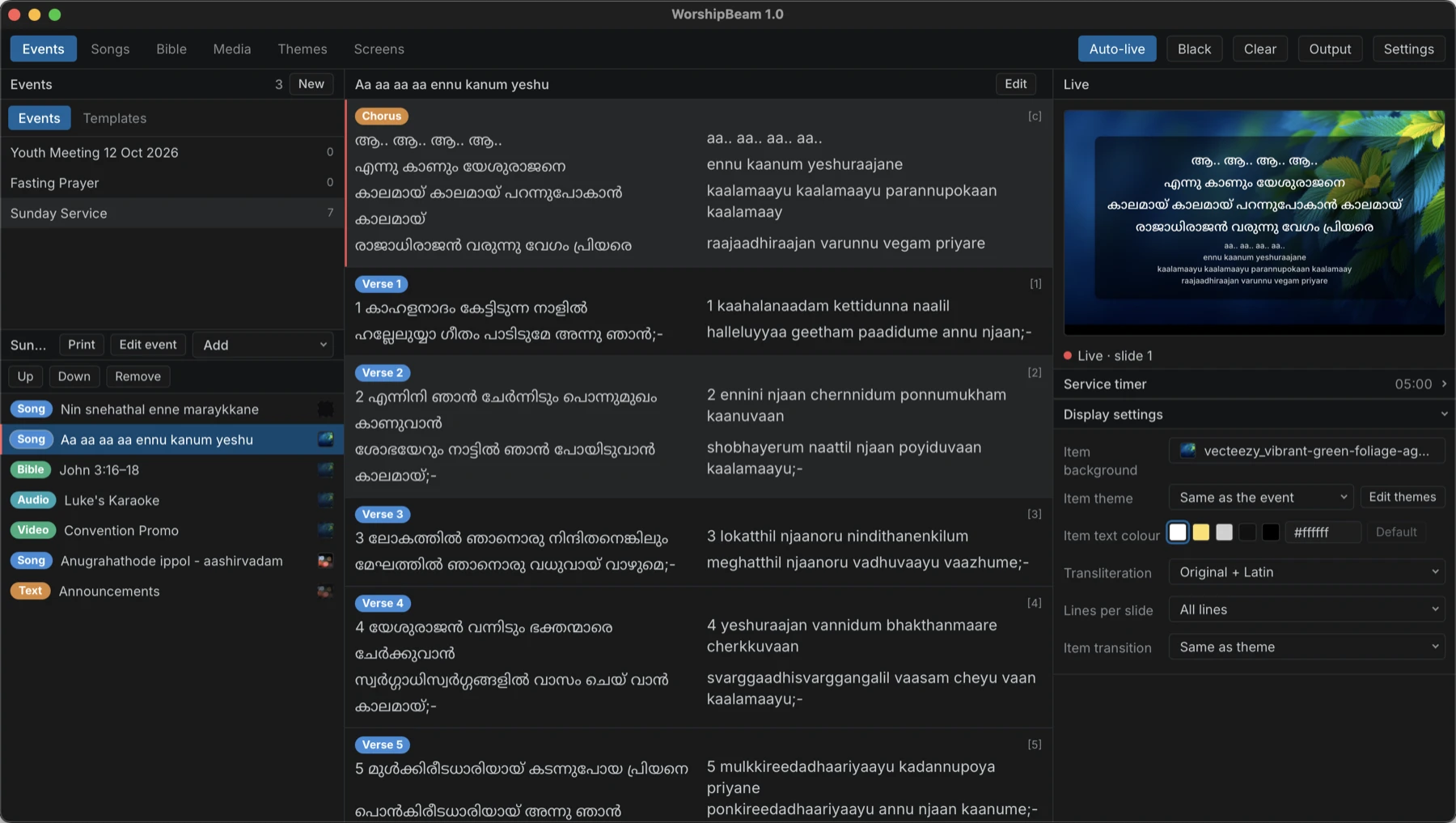
Built to stay out of the way
Light on the computer, and deep where a service needs it.
Built to be light
Performance is a focus: a small install that opens quickly and keeps memory and processor use low, so it can share a computer with OBS, Zoom or a stream.
Advanced where it counts
Layered themes with shapes and gradients, stage screens for the team, a separate window for OBS, Bible versions side by side, and run sheets with video, audio and timers.
Stays on your computer
Your songs, events and themes are stored locally. There is no account and no cloud. Bibles are downloaded once and kept.
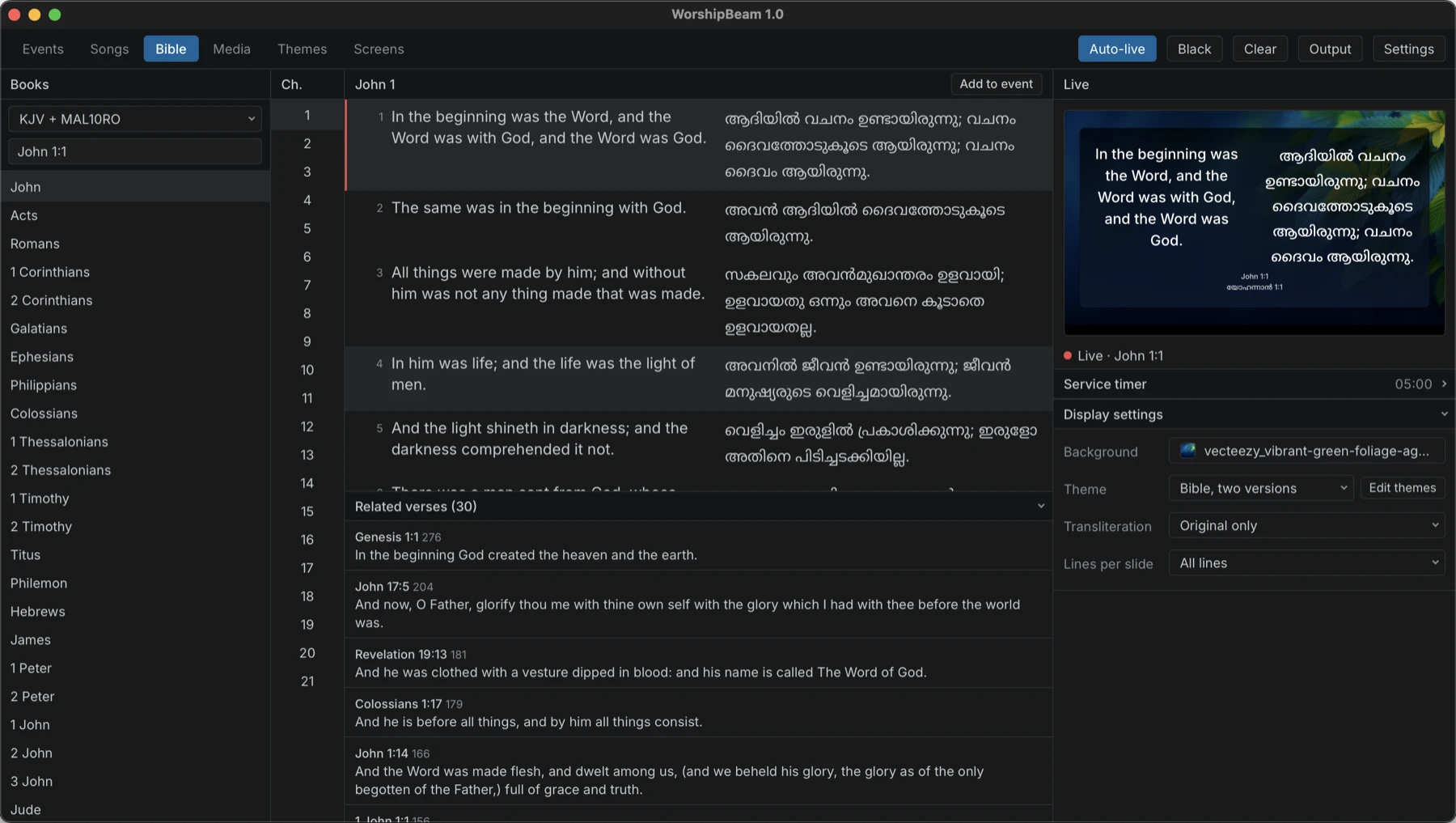
Scripture, in more than one version
Show up to three Bible versions side by side. Go to a reference or search by words, and see related verses.
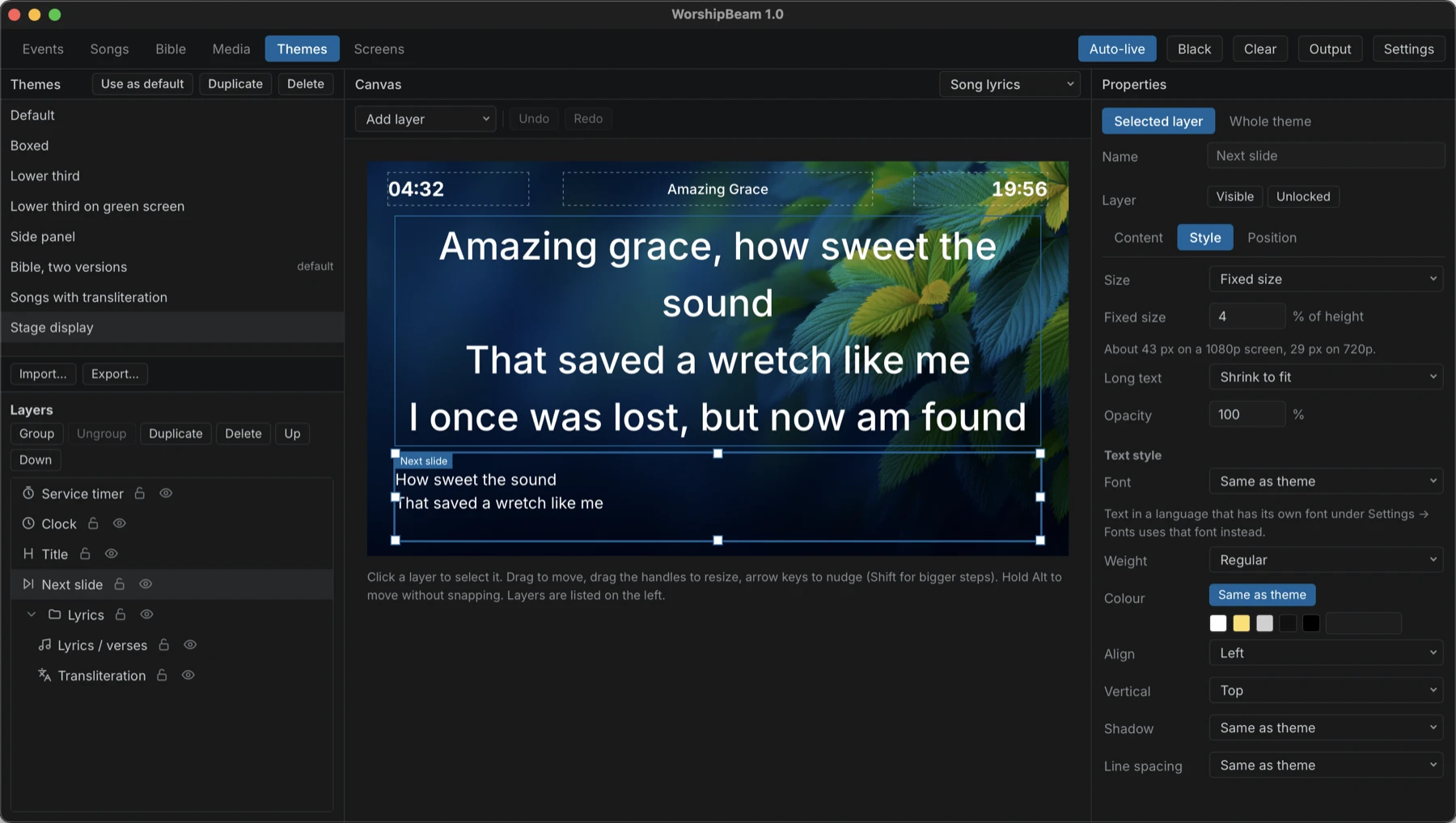
Create your own themes
Lay out text, shapes, pictures and gradients as layers, and give each theme a background of its own. Share a theme as a single file.
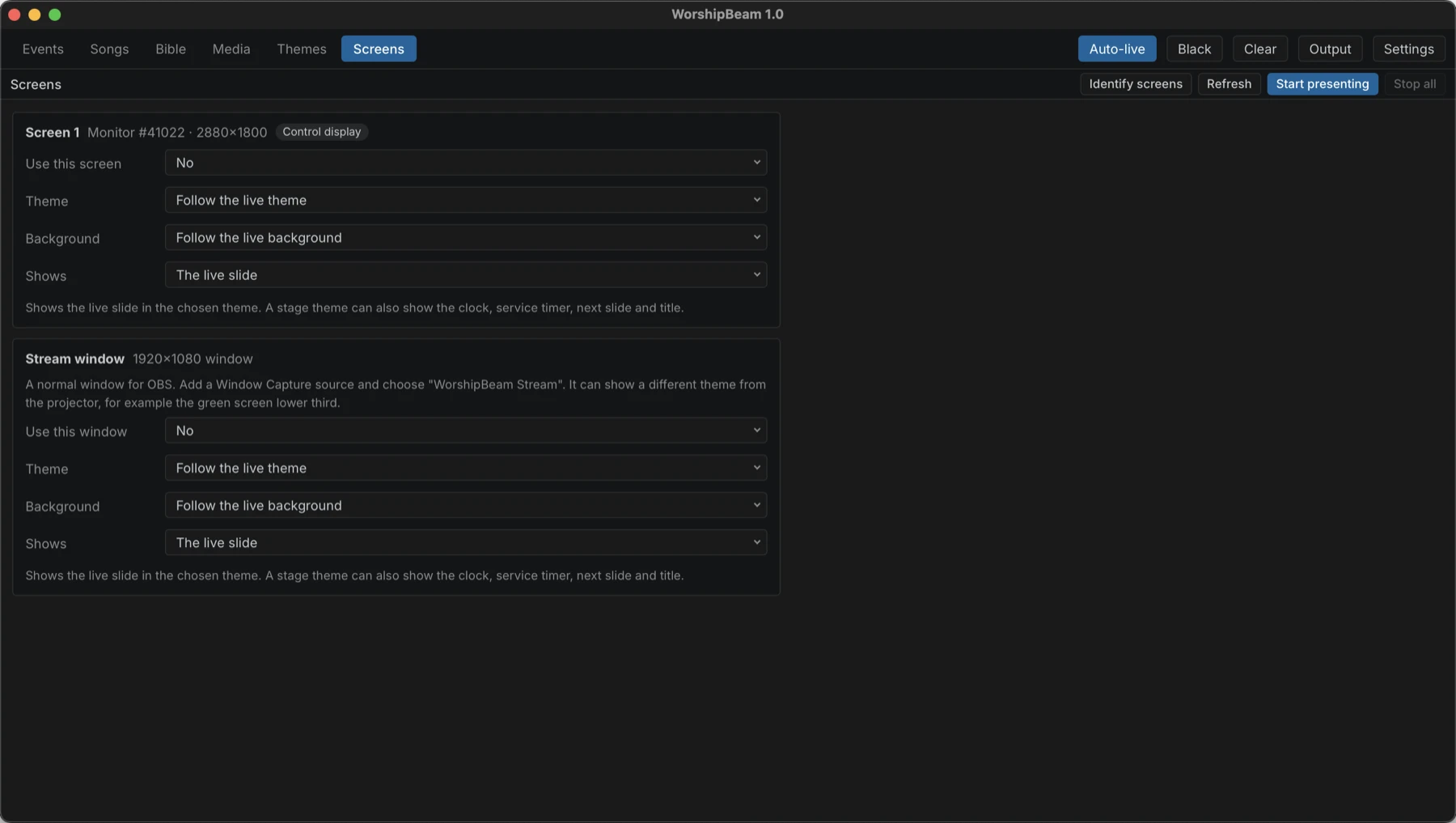
Projector, stage and stream
Send slides to any screen, show a stage screen to the worship team, and give OBS its own window with its own theme.
What is in it
The things a service needs.
Songs
Search by title or lyrics. Jump to a stanza with a key, choose how many lines go on a slide, and show chords with transposing. A starter library of about 4,900 songs is included.
Bible
Go to a reference or search by words. Cross-references are shown beside the verse, and more Bibles can be downloaded from inside the app.
Run sheets
Plan a service with songs, passages, text, images, video, audio, a clock and a timer. Save a run sheet as a template, duplicate it, print it or export it.
Output screens
Stage screens show the next slide, a clock, a timer and the title. Black out or clear the screen with one key, and let Auto-live follow your clicks.
Backgrounds and streaming
Use a colour, a picture or a video behind the text. A plain green background lets you key a lower third over video in your stream.
Languages and fonts
Complex scripts such as Malayalam and Tamil are drawn correctly, with a Latin transliteration beside the lyrics. Pick any installed font for each language.
Keyboard friendly
Arrow keys and Page keys move through slides, and the common actions have a key.
Light and dark
The control window follows your system, or can be set to light or dark.
Ready to try it?
WorshipBeam is in beta, so you may meet rough edges. Downloads for macOS and Windows are on the download page.
Download